August 2026
API Scalar
Mini-project inside log.exe: interactive OpenAPI docs powered by Scalar. Same repo as the parent — not a separate product. API skala, skalarrrrr, skala.

Scalar OpenAPI docs for log.exe — a mini-project inside the monorepo.
Scalar OpenAPI docs for log.exe — a mini-project inside the monorepo.
API scalar — that’s Scalar, the OpenAPI docs UI.
This page is one mini-project inside log.exe: interactive API docs powered by Scalar. Same monorepo, same OpenAPI contract, same Worker deploy — not a separate product.
Marketing summary
| What | Interactive OpenAPI documentation for the log.exe HTTP API, rendered by Scalar |
| About | A focused docs slice of the log.exe monorepo — sidebar, search, schemas, try-it, and client snippets from one shared openapi.json |
| For whom | Visitors browsing the portfolio, API clients (Bruno / Postman), MCP/CLI users who want a human-readable map of the REST surface, and future agents that need a contract |
💡 Think monorepo pattern: log.exe is the big project; API Scalar is the docs mini-project. One GitHub tree, one deploy, one contract.
For everyone
If you are not an API engineer, here is the plain version.
log.exe has a lot of doors — the website, a machine API, a chat-style MCP connection for AI tools, and a terminal CLI. They all talk about the same projects, wiki notes, and media. Without docs, that sounds like four different products.
Scalar docs turn the machine contract into a page you can browse:
- See what the API can do in plain lists and search, instead of raw JSON
- Click an endpoint and read what it expects and returns
- Optionally try a call from the browser when you have credentials (never paste secrets into screenshots)
You do not need to install Postman to understand the shape of log.exe. Open /reference when you are signed in to the site, or explore Scalar’s public demos on scalar.com and Galaxy to see what the UI looks like without any private data.
Figures on this page are official Scalar marketing and public demo media only. They are not captures of log.exe’s private /reference surface — so no live tokens, Access cookies, or private payloads.
Technical deep dive
How OpenAPI + Scalar fit log.exe
log.exe is several surfaces on one Worker + D1 + R2 brain. API Scalar is the docs slice:
| Piece | Role |
|---|---|
openapi.json (web/public/openapi.json) | Machine contract for the whole log.exe HTTP API |
Scalar (@scalar/nextjs-api-reference) | Renders that contract as browsable, try-it docs at /reference |
| Repo | Same as the parent: amirahosbr/log.exe |
| Consumers | REST clients, Bruno/Postman importers, MCP tools, logexe CLI, humans |
One contract stays the source of truth. Humans read Scalar; importers pull OpenAPI; agents use MCP; scripts use the CLI — all aligned to the same paths and schemas.
Official Scalar starting points:
- Scalar home
- API References
- Getting started
- Configuration
- Scalar Docs
- Public demo: Galaxy
Mini tutorial
Open the interactive docs (site):
- Sign in through Cloudflare Access on the deployed site (or run the app locally).
- Visit /reference — Scalar mounts from
@scalar/nextjs-api-reference. - Search an operation (e.g. projects, wiki, media), expand the schema, copy a client snippet if useful.
- Use try-it only with credentials in your client — never bake tokens into portfolio screenshots.
Use the raw OpenAPI file:
- Local:
http://localhost:4500/openapi.json(or the file atweb/public/openapi.jsonin the repo). - Production: download from localhost or the repo — the live Worker sits behind Access, so pointing an importer at the public URL usually fails without service tokens.
- Import into Bruno / Postman / Insomnia as OpenAPI 3.x — see /wiki/api-clients.
Sanity check the pipeline:
# from web/
bun run check:openapi   # keep openapi.json aligned with the API
Comparison
| Approach | Best for | Downside |
|---|---|---|
| Raw OpenAPI JSON / YAML | Importers, codegen, CI contract checks | Hard to read as a human map |
Scalar UI (/reference) | Browsing, search, schemas, try-it, snippets | Needs Access (or local) to reach log.exe’s private surface |
| Postman / Bruno collection | Day-to-day request crafting and environments | Easy to drift unless you re-import from OpenAPI |
💡 Prefer OpenAPI as source → Scalar for humans → Bruno/Postman as imported clients. Hand-written collections without a re-import step drift the moment a route changes.
Request and docs pipeline
flowchart LR
  subgraph source [Source of truth]
    Routes["Next.js /api routes"]
    Spec["openapi.json"]
  end
  subgraph docs [Docs mini-project]
    Scalar["Scalar /reference"]
  end
  subgraph consumers [Consumers]
    REST["REST clients"]
    MCP["MCP /api/mcp"]
    CLI["logexe CLI"]
    Humans["Humans in browser"]
  end
  Routes --> Spec
  Spec --> Scalar
  Spec --> REST
  Spec -.-> MCP
  Spec -.-> CLI
  Scalar --> Humans
  REST --> D1[(D1 + R2)]
  MCP --> D1
  CLI --> D1
Routes and check:openapi keep the spec honest. Scalar is the human lens; MCP and CLI share the same write token and Access gates as REST — they are siblings, not a second API.
Why Scalar
- One contract —
openapi.jsonfor humans, importers, agents, and the docs UI. - Readable reference — sidebar, search, and models instead of a raw dump.
- Try-it — send requests from the docs when ready; credentials stay in the client.
- Next.js integration —
@scalar/nextjs-api-referencemounts on the Worker site without a second docs stack.
Related
- Parent project: log.exe
- Live docs route: /reference
- Product / demos: scalar.com, Galaxy
- Spec: OpenAPI Specification
- Upstream: github.com/scalar/scalar
- Wiki: /wiki/api-clients, /wiki/usage
More projects
view all →Kaeru Plugins
Two independent Claude Code plugins from one marketplace: kaeru lets non-technical staff safely edit a website's text, images, and colors in their own language and submit a PR for review — git stays hidden, it never merges; octo is the developer-facing GitHub + CI/CD toolkit — repo bootstrap, the issue → PR → merge flow, CI checks, and releases. The name folds in three meanings at once: 変える (change/edit), 帰る (return — a PR coming back for review), and 蛙 (frog — the mascot) — chosen so non-technical staff hear "Kaeru shite!" as friendly, not technical.

LinkedIn Publisher
A LinkedIn integration inside log.exe: a registered developer app, a full 3-legged OAuth flow, and publishing to my own feed through the UGC Posts API. Captions are built from real project rows in D1 — title, tagline, highlights, tech stack, media — so a post can only claim things the CMS already knows. The interesting part was working out what the API will not give me, and saying so in the UI instead of faking it.
Mukawa AR Trail
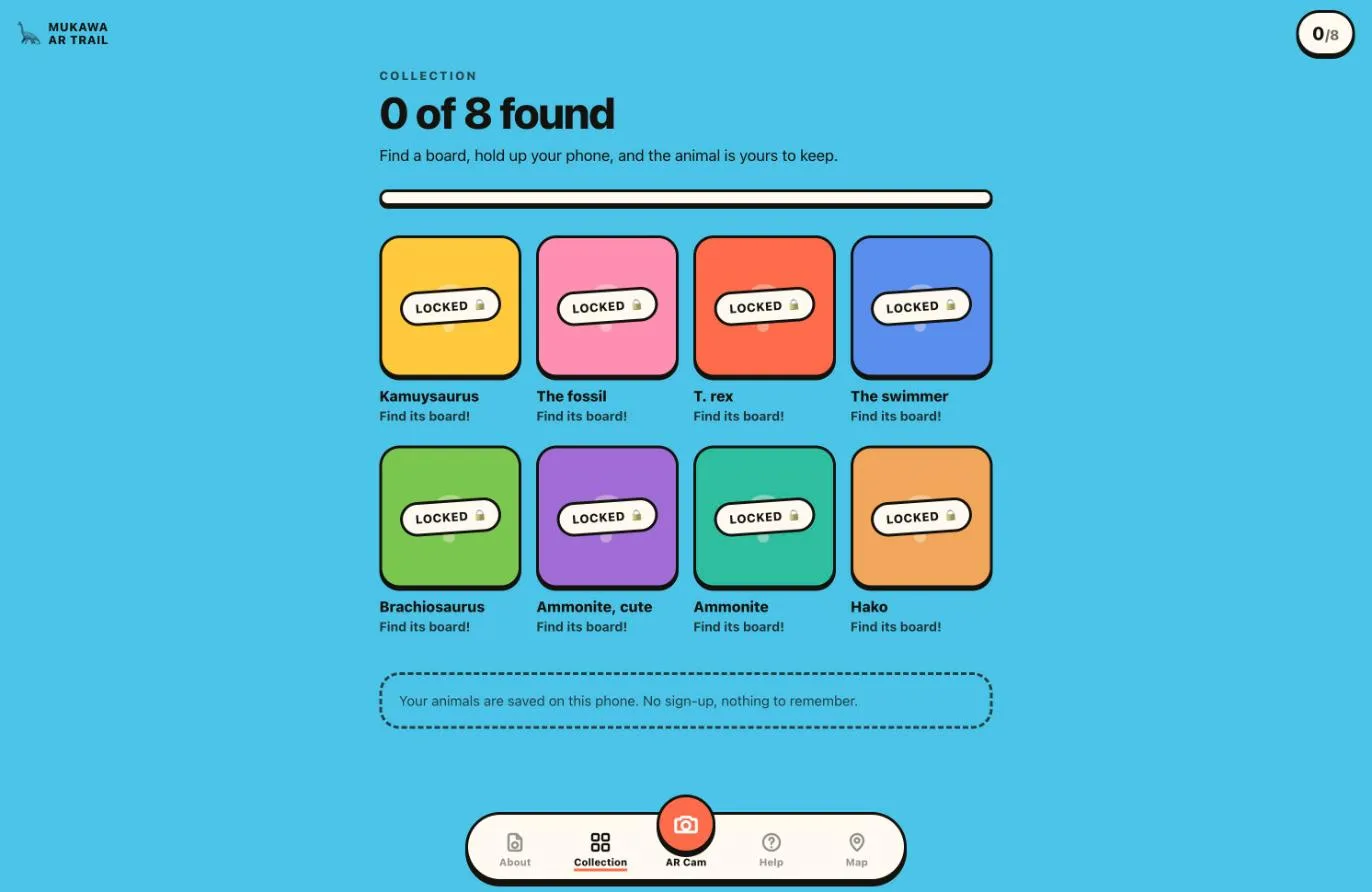
A web AR trail built as a study for the Mukawa dinosaur story. Eight printed boards hang around a building, each with a picture and a QR. The QR only opens a link, so the phone's own camera does the scanning; the app asks for the camera when the visitor taps, recognises the picture itself as an image target, and stands the creature on the board as you move. Every board found unlocks its creature in a collection saved on the phone, with no sign-up. Built end to end by me: the trail app, the image targets, the printed panels and the deploy.