My first hardware project: a Claude usage meter on a cheap yellow screen
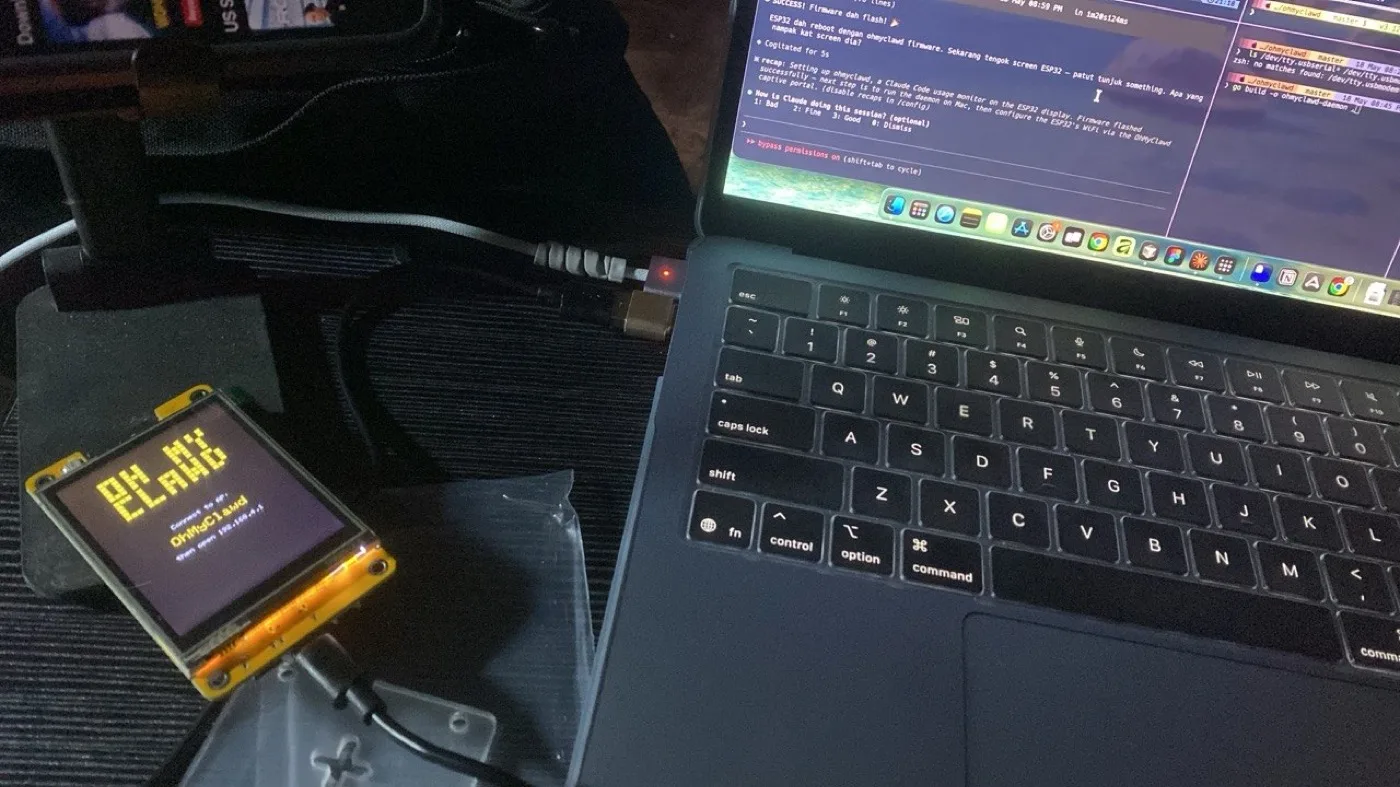
I'd only ever built for the web. Everything I made lived in a browser tab, and "deploy" meant a URL.
This year I wanted something on my desk instead: a small screen that shows how much of my Claude Code limit I've used, so I stop finding out the hard way. This is how that went, from a simulator to a real board.
The board: a Cheap Yellow Display
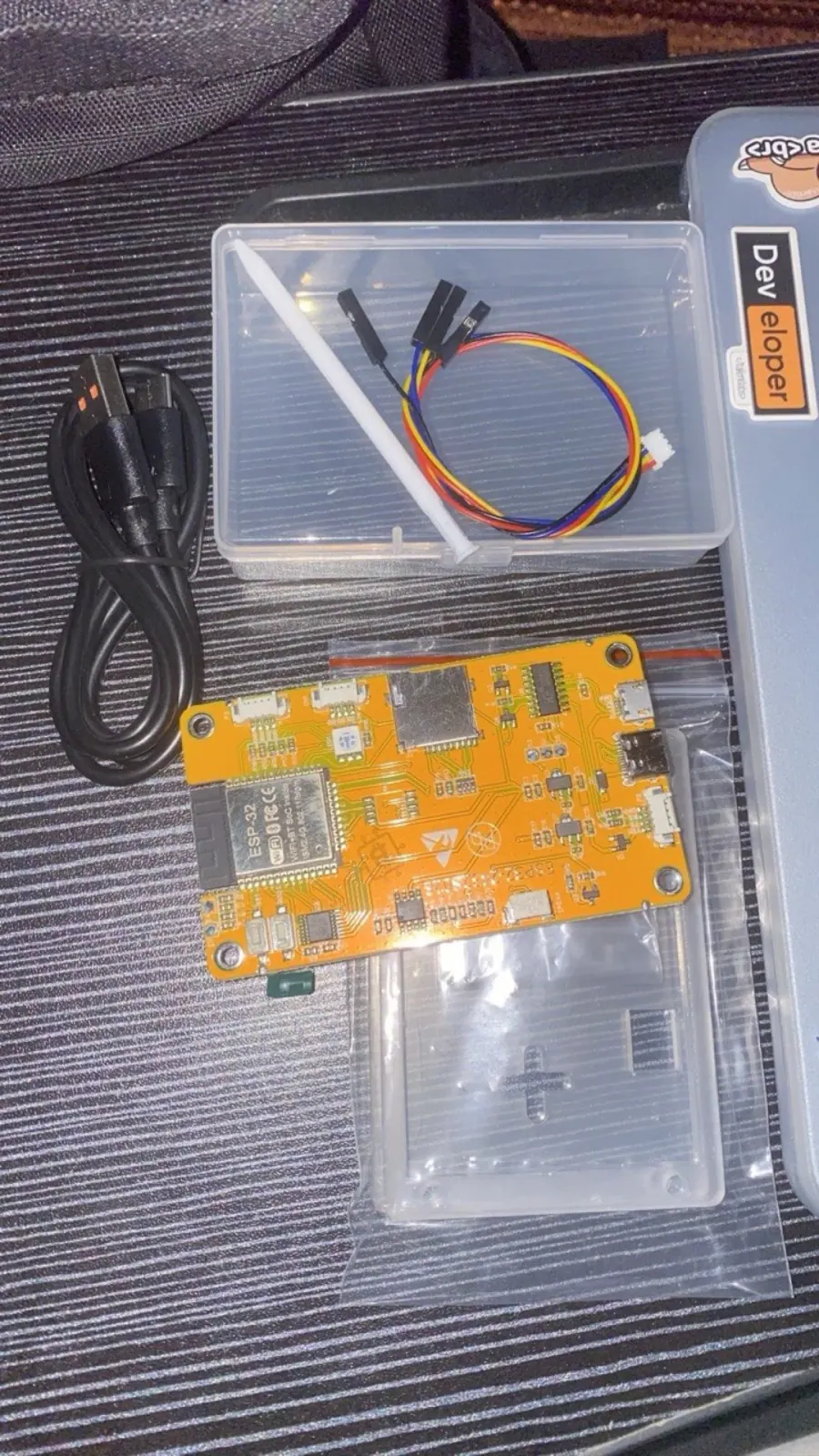
The board everyone starts with is the ESP32-2432S028R, nicknamed the Cheap Yellow Display (CYD). It's a yellow circuit board with a 2.8″ touchscreen already attached:
- an ESP32 chip with Wi-Fi
- a 320×240 colour screen
- a resistive touchscreen (you press it, a stylus helps)
- a microSD slot
No soldering is needed to get pixels on the screen, which is exactly what a web developer wants on day one.
Step 1: a duck in a simulator
Hardware is slow to iterate on: flash, unplug, look, repeat. So before touching the real board, I built the first version in Wokwi, a simulator that runs ESP32 code in the editor.
The idea was a little pixel duck that acts as an agent's face. It changes with the agent's state: idle, listening, thinking, talking. Each state is a 20×20 sprite, and the board asks a small program on my Mac for the current state every 3 seconds.
I also added a microphone, an INMP441, and gave Wokwi a custom chip so I could test the "listening" screen. The simulator's audio never fully worked, so it falls back to a fake level that's only good for testing the UI. Real sound needed real hardware.
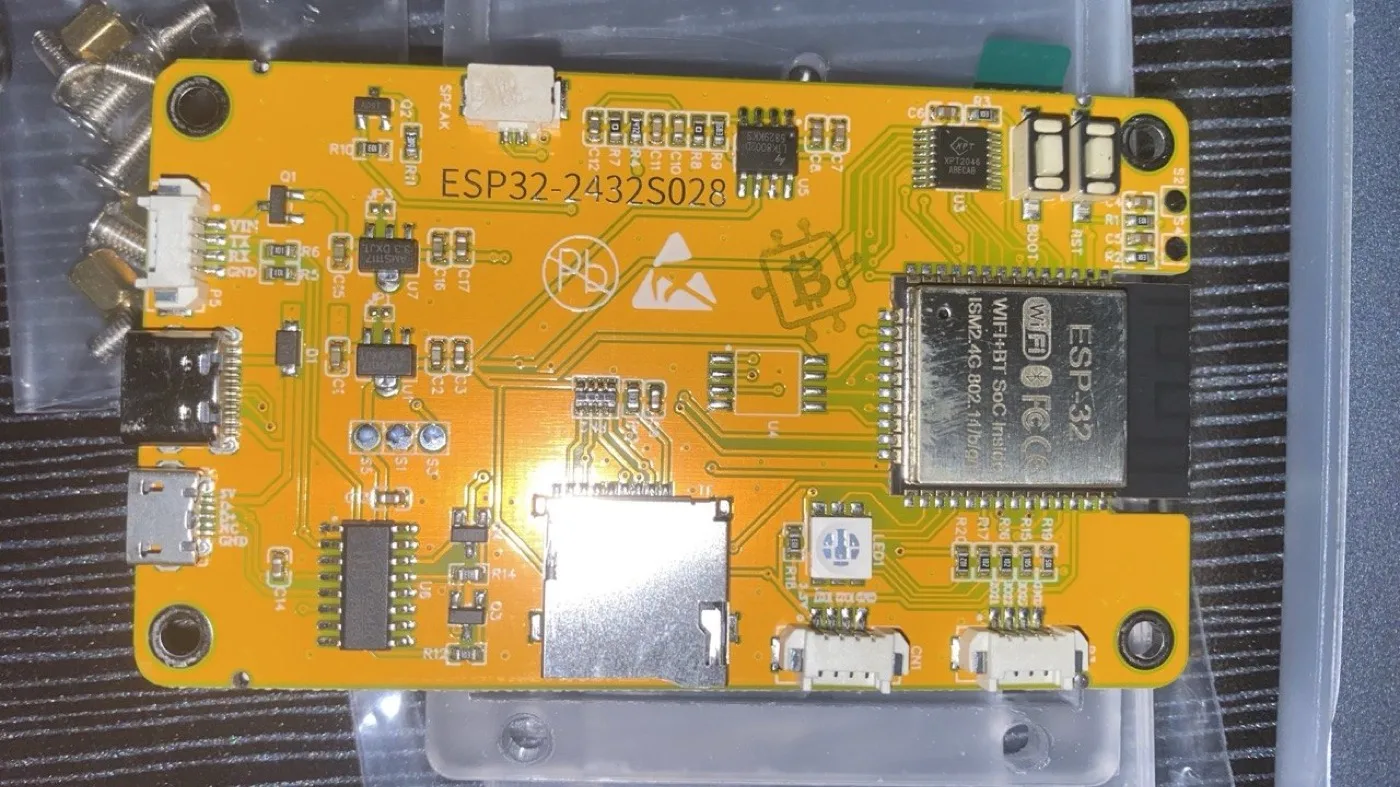
Wiring the real mic taught me my first hardware lessons:
- One of the board's connectors has no 3.3 V pin, so the mic takes power from a different connector.
- One pin that looks free (IO21) is actually the screen backlight. Use it for the mic and the screen goes dark.
None of that shows up until you read the board's pinout properly.
Step 2: a real meter, by forking someone else's project
While I was prototyping, I found ohmyclawd by opariffazman: a CYD firmware that already showed Claude Code usage, with lovely animated pixel art. It was exactly what I wanted, except it assumed Linux.
So I forked it. The firmware and the pixel art are theirs; making it work on my setup is mine.
On the board it shows:
- Session and weekly usage bars, at a glance
- 13 animated sprites that change with what Claude Code is doing, including a "waiting for you" pose
- A pixel clock mode
- Wi-Fi setup in the browser, so no code changes to connect it
What I changed in the fork
The original expected Linux: a systemd service, credentials in a JSON file, and sudo to install. My Mac has none of that, so most of my work was on the small Go program (the daemon) that reads the usage and serves it to the board:
- A macOS service instead of systemd. It runs with launchd and installs to
~/.local/bin, so there's no sudo. - A long-lived token instead of a credentials file. macOS keeps Claude's login in the Keychain, and that login refreshes itself. A copy of it works for a while, then quietly stops.
claude setup-tokengives a token meant for exactly this. - Off my Mac, into the cloud. I packaged the daemon in a multi-stage Dockerfile (the final Go binary is about 6 MB) and deployed it to Fly.io. Now the board talks to a fixed URL, instead of depending on my Mac being awake and keeping the same local IP.
- Updates over Wi-Fi. On boot the board checks my fork's GitHub releases and updates with a tap, so I don't have to plug in a USB cable to flash it.
- A macOS setup guide, written from start to finish in the README, because that was the part I couldn't find anywhere.
What I learned
- A simulator is a sketchpad, not the real thing. Wokwi let me design the whole UI in seconds, but sound, power and pins only became real on the board.
- Reading a pinout is the new reading the docs. My first two hardware lessons were both about a single pin.
- Forking is a good way in. Starting from a working project meant my first hardware win came in days, not weeks. Making it run on a different OS taught me how all the pieces fit together.
- Credit the original, clearly. The fork's README says what's theirs and what's mine.
It's a small screen that shows two bars and a cute sprite. It's also the first thing I've built that you can hold.
The macOS setup, step by step, is in the repo.